KF5N Radio Experimentation Site
QSE Filter
QSE-Filter Version 1.0
This is the PCB for the QSE-Filter module for the T41 “Software Defined Transceiver”. The PCB was designed using the open-source design tool Kicad 8.
The primary documentation for the T41 is the book “Digital Signal Processing and Software Defined Radio: Theory and Construction of the T41-EP Software Defined Transceiver” by Albert Peter and Jack Purdum. The book is available here:
https://www.amazon.com/Digital-Signal-Processing-Software-Defined/dp/B0F5BDQZW3
The goal of the QSE-Filter is to improve T41 transmitter fidelity. Without using this filter, the transmit output will contain spurious energy. Using this simple filter will resolve this problem. The QSE-Filter module is designed to be the simplest and lowest cost circuit to resolve this specific spurious energy problem.
The QSE-Filter is inserted between the output of the QSE module and the input of the Power Amplifier.
Gerber files for PCB fabrication are included in the gerbers folder. A PDF of the schematic (QSE-Filter.pdf) is included for quick viewing of the circuit design.
A look at the schematic:
https://github.com/Greg-R/QSE-Filter/blob/main/QSE-Filter.pdf
Video Illustration of the Spurious Problem
This video shows why it is necessary to have a filter on the output of the QSE:
Hardware Modifications
A new ribbon cable is required. The original T41 has a 10-wire cable which connects the Main board module to the Low-Pass Filter module. Since the QSE-Filter shares the same control signals, a new ribbon cable is required which routes from the Main board to the QSE-Filter, and then to the Low-Pass module. This type of cable is very easy to build and can be completed in five minutes or less.
A wire must be added to the V10/V11 Main Board (not required for T41-2 Main Board) to supply 3.3 volts. This wire should be soldered to the back side of the Main board from pin 8 of the “Bands” connector to a convenient source of 3.3 volts. Looking at my modified Main board:
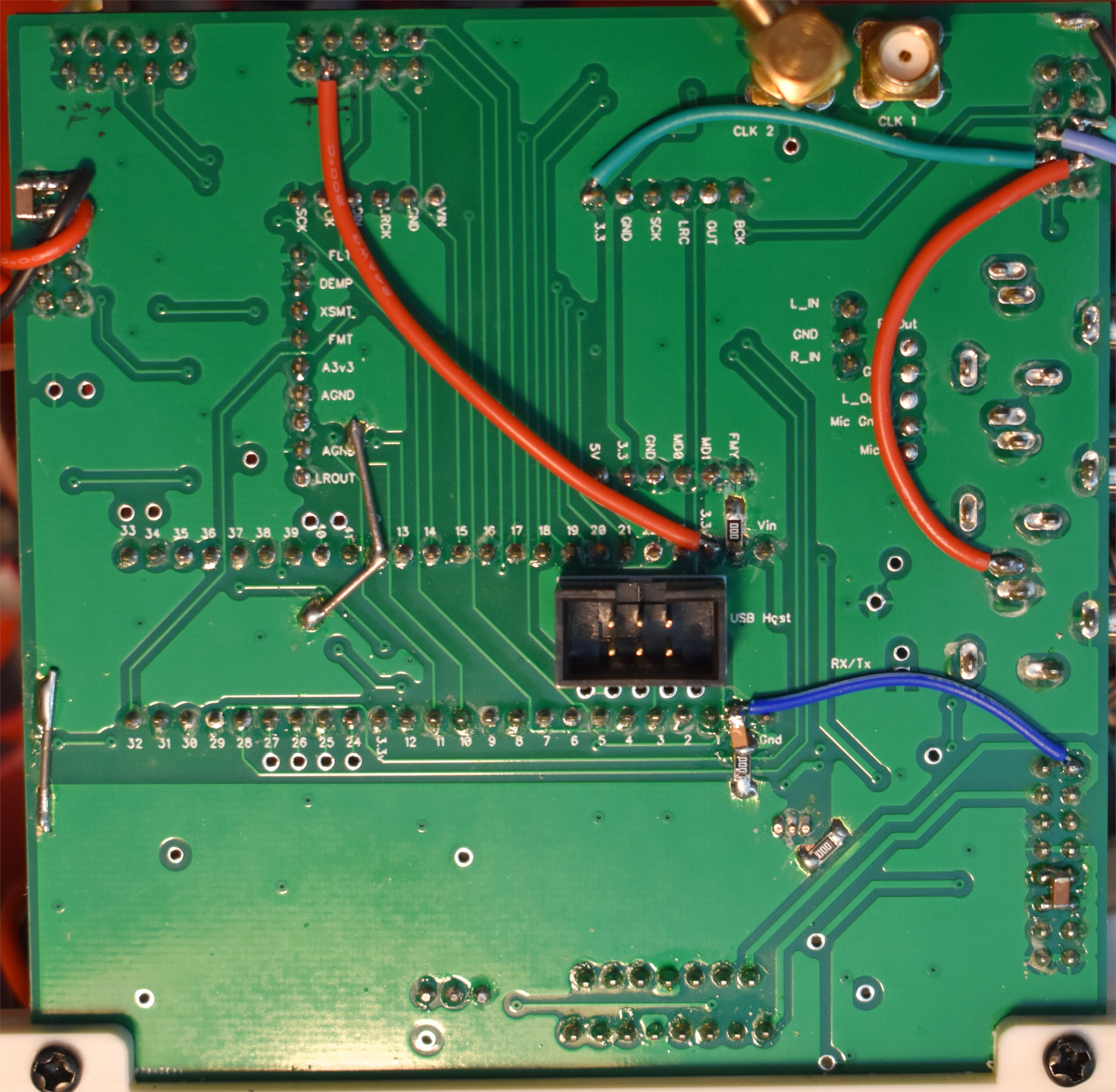
The green wire in the upper right area of the Main board routes 3.3 volts to the QSE-Filter via the ribbon cable.
There is no modification required to the software.
PCB Layout
The PCB layout was completed using Kicad version 8. This is an open-source tool, unlike the “Dip Trace” commercial product used to design the V010 and other T41 boards.
The prototype PCBs were fabricated by PCBWay at a cost of US$1.00 each. Shipping was about US$25.00 for quantity 5 boards.
Bill Of Material (BOM)
A public Digikey BOM is here:
https://www.digikey.com/en/mylists/list/BP824NCB5P
The toroids are not included in the above BOM. The T-37-6 (quantity 6) and T-37-17 (quantity 4) may be ordered from:
Build Tips
In general, QSE-Filter is easy to build if you have experience with surface-mount components. There are a few items to be aware of to avoid build errors.
SOT Devices
This circuit uses a lot of SOT devices! These are generally well behaved when using a hot-air soldering station. Be careful to not use too much solder on the pads. I had one short-circuit underneath one of the switches which caused high filter loss. A little bit of probing with a DVM revealed the short, and once the short was cleared the circuit worked as expected.
Toroids
This is what I consider the most difficult part of building the filter. Toroid winding! The toroid part numbers, wire gauge, and number of turns are shown on the schematic.
Try to space the windings evenly around the circumference of the toroid. However, the will be a gap in the windings at the wire ends.
The toroids are “surface mounted”, meaning that there is a rectangular pad for soldering the wire end. I find this much easier to deal with than using through-holes, as soldering and re-soldering is much easier. Why resoldering? Because it may be necessary to add or remove a turn to get the frequency response lined up just right. Hopefully not, however, there are tolerances associated with both the capacitors and the toroids. The inductance will be a function of the toroid permeability, the number of turns, and also how you wound it. The frequency responses of the filters are designed to have margin, so hopefully all will line up and the frequency response of the filters will achieve the goal of a clean transmit spectrum.
I have recommended using AWG#28 for the 80, 40, and 20 meter coils, and AWG#27 for the 15 and 10 meter coils. However, AWG#27 will probably work for all of the coils. I have not tried this yet.
3D Printed Bracket
The QSE Filter uses a custom 3D printed bracket. I have a repository with many files for T41 parts including the QSE Filter bracket:
https://github.com/Greg-R/SDT_Case_KF5N
Bottom Side Parts
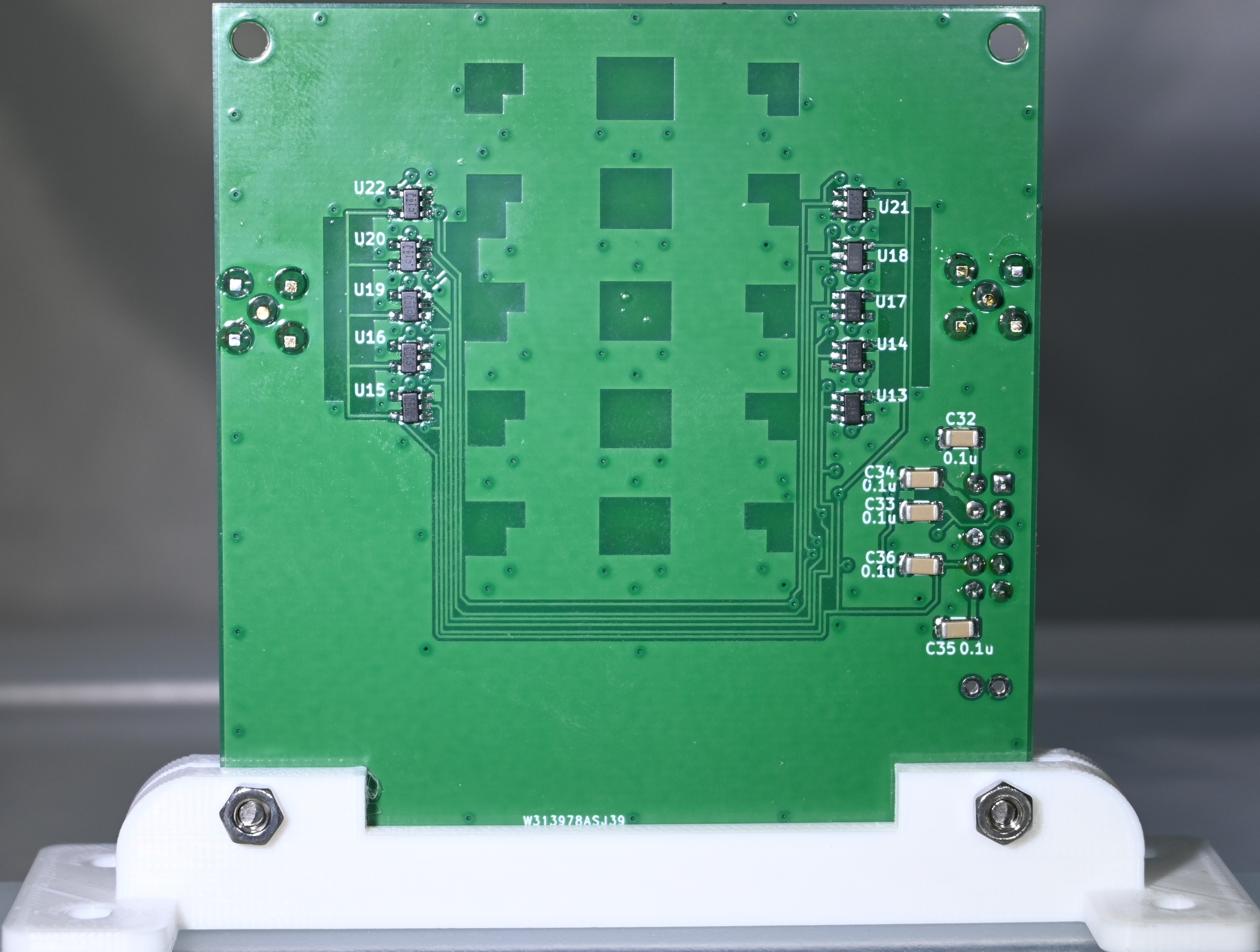
There are many parts on the bottom side. These should be soldered after the top-side SMDs. I was able to use a hot air gun without any of the top-side components desoldering.
Solder the 16 pin connector and the SMA connectors last.
SMA Connectors
Take a good look at the placement of the board in your T41 radio. You will want the SMA connectors of the QSE-Filter in the orientation for easy coaxial cable routing. 0 or 90 degree connectors are available (90 degree parts are on the BOM). Also, you may choose to put the SMAs on one side or the other for optimal cable routing.
High Resolution Photos of QSE-Filter
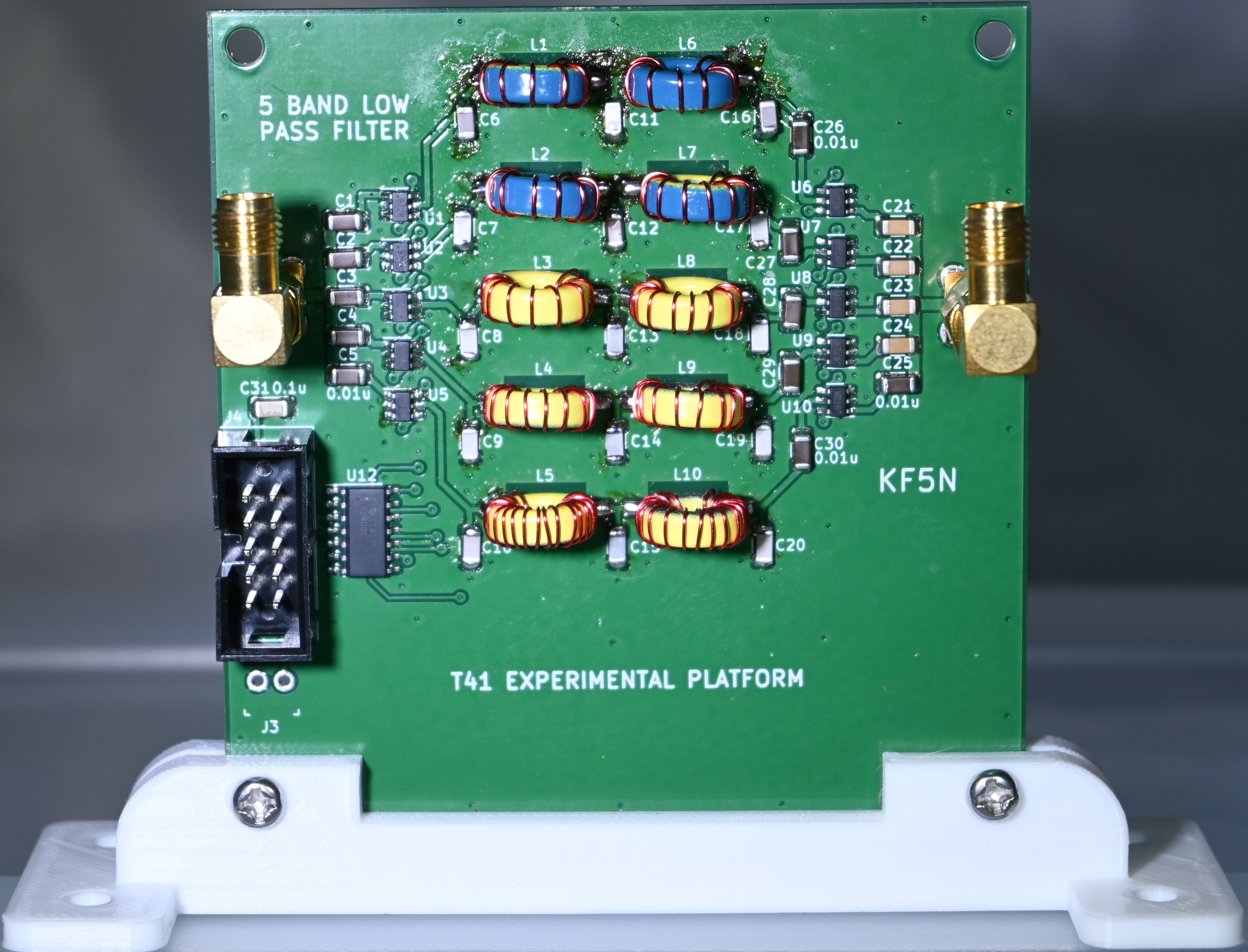
Links to photos of a fully constructed QSE-Filter follow. Click on the image for a high-resolution view.
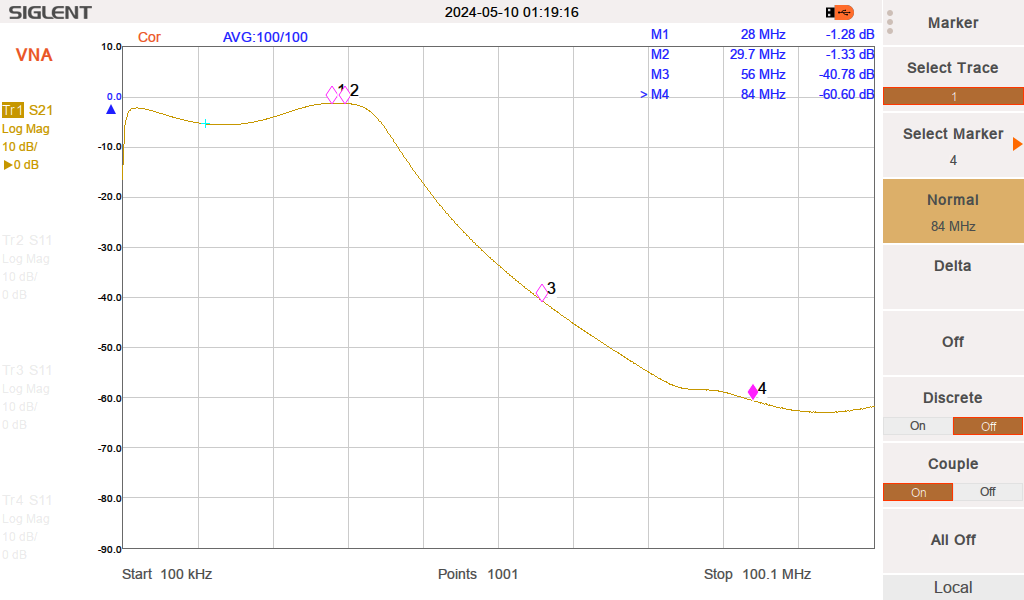
Example Measured Filter Response 10 Meters